Roblox, one of the world’s most popular online gaming platforms, occasionally experiences service interruptions that leave players unable to log in, join experiences, or use key features. When outages occur, the immediate surge of user reports across social media can create confusion — especially since Roblox serves millions of players simultaneously.
Recently, many users have again begun reporting issues ranging from login failures to slow loading times and server disconnects. While temporary disruptions are not unusual for a platform of Roblox’s scale, they can still be frustrating. Below, we break down why Roblox goes down, how to check its official server status, and what users can do when outages occur.
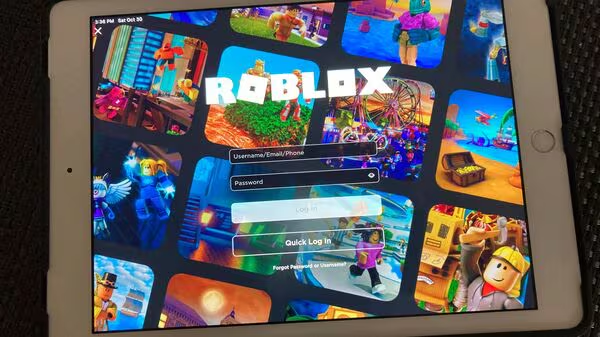
Why Roblox Servers Go Down
Roblox relies on a massive cloud infrastructure to support its global community. Even with sophisticated technology, several factors can lead to downtime:
1. High Traffic Spikes
Major in-game events, new experience launches, holidays, or viral trends can overwhelm servers. Roblox has seen similar issues during record-breaking updates or limited-time events.
2. Platform Updates or Maintenance
Sometimes Roblox schedules maintenance to improve performance or deploy new features. These updates may temporarily interrupt gameplay.
3. Unexpected Server Errors
Like any online service, Roblox can encounter technical glitches — such as database errors or issues with backend services — resulting in partial or full outages.
4. Regional Connection Problems
Not all downtime is global. Internet service disruptions, routing problems, or regional server issues can impact only certain countries or platforms.
How to Check If Roblox Is Actually Down
If you’re unsure whether the issue is on your end or Roblox’s, here are the best ways to verify server status:
1. Roblox Status Page
Visit status.roblox.com.
This is the official server dashboard showing real-time updates for:
- Website
- Mobile app
- Game servers
- Avatar and item services
- Marketplace
- Studio
If any system displays “Degraded Performance,” “Partial Outage,” or “Major Outage,” the platform is experiencing issues.
2. Social Media Updates
Roblox often shares updates on:
- X (Twitter): @Roblox
- Developer forums
- Community channels
These sources can provide quick confirmation of a widespread outage.
3. Downdetector or Similar Reporting Sites
User-reporting platforms show spikes in problem reports. While not official, they help identify trends.
4. Test Your Local Connection
If Roblox servers appear stable, the issue may be:
- DNS-related
- ISP routing problems
- Device overheating or app cache errors
Resetting your router or clearing Roblox data often helps.
What to Do When Roblox Is Down
There is no direct fix when the problem is on Roblox’s end, but you can:
✔ Wait for Official Updates
Most outages are resolved within minutes to a few hours.
✔ Restart the App or Device
Sometimes a local session gets stuck.
✔ Avoid Rapid Log-in Attempts
Retrying too often can lock you out temporarily.
✔ Check Roblox DevForum or Status Page
Developers often provide details on service disruptions.
How Long Do Roblox Outages Last?
Typical outages range from 10 minutes to an hour, though major incidents — like the well-known 2021 outage — can last longer. The duration depends on the scale of the issue, but Roblox’s engineering team generally resolves disruptions quickly.
FAQ: Is Roblox Down?
1. Why can’t I log into Roblox right now?
If you see login errors, it may be due to a platform-wide outage. Check the official Roblox status page to confirm whether authentication services are affected.
2. Is Roblox down for everyone or just me?
If large numbers of users report issues or the status page shows outages, it’s likely a global problem. If not, the issue might be related to your device, app, or network.
3. How do I check if Roblox servers are working?
Visit status.roblox.com for real-time updates. This is the most accurate source for server status.
4. Why do Roblox servers go down so often?
With millions of concurrent players, Roblox occasionally experiences traffic overloads, software updates, or backend issues that can temporarily disrupt service.
5. What should I do if Roblox is not loading games?
Try restarting Roblox, clearing the app cache, or switching networks. If the servers are down, wait until Roblox restores normal service.
6. Can I fix Roblox outage issues myself?
Not if Roblox is experiencing a platform-wide outage. You can only troubleshoot local issues such as Wi-Fi or device problems.
7. Does Roblox go down more during events?
Yes. Major events or updates often lead to unusually high traffic, which can strain servers.
8. Are Roblox outages dangerous to my account?
No. Server issues do not affect account security. Your items, Robux, and progress remain safe.
9. Why does Roblox say “Service Unavailable”?
This typically means Roblox servers cannot process your request due to maintenance or temporary overload.
10. How long will Roblox be down?
Most disruptions are short. Severe outages may take longer, but Roblox usually restores services as quickly as possible.